DriveTown – Quick Play Adventure
BoneCracker Games • 35.4K Plays • 35.4K Views • star 4.4 (5.8K)
All
Device
Landscape
Orientation
5.8K ratings
Rate This Game
gamepad How to Play DriveTown
Controls
Vehicle
- W / up arrow = throttle
- A, D / left and right arrow = steer
- S / down arrow = brake
- Space = handbrake
- E = enter/exit
- C = camera
- B = look back
Character
- WASD / arrows = move
- Space = jump
- Left shift = sprint
- E = interaction
info About DriveTown
This game has rapidly become a favorite among fans of . You can launch DriveTown instantly in your browser via Kill Storm Game without dealing with complicated registration.
Built by BoneCracker Games, released by BoneCracker Games, and running on unity, DriveTown is easy to access. DriveTown offers endless entertainment with no downloads required. Dive into DriveTown now and enjoy thrilling gameplay.
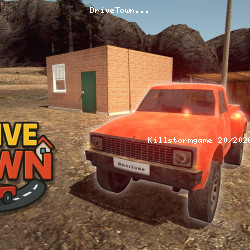
DriveTown is an open-world adventure where you explore a bustling town that evolves with a full day and night cycle. Hop in and out of vehicles, drive trucks, and complete missions while managing your items through an inventory system. Build and decorate your own home with furniture from the online store, and keep your vehicles running by repairing engines and refueling tanks for nonstop exploration.
Technology
help Frequently Asked Questions
How do I repair my vehicle in DriveTown? expand_more
What are some useful tips for completing missions in DriveTown? expand_more
Is it difficult to progress in DriveTown? expand_more
How can I decorate my home in DriveTown? expand_more
What are the controls for driving vehicles in DriveTown? expand_more
Related Games

Ellie's Recipe: Dubai Chocolate Bar
Impossible Mega Ramp Car Stunt
Drift Boss

Hyper Evolution
Idle Train Empire Tycoon
Car Tuning Simulator
Crazy Plane Landing
Go Escape
Kogama: World Racing
Ball Blaster

Summer Vacation
Drag Racer V2

Oil Digging
Bed Wars
Kogama: Hallow Special - trick or treat