Start Take Photo Adventure Game Now
• 56.1K Plays • 280.2K Views • star 4.7 (6.1K)
All
Device
Landscape
Orientation
6.1K ratings
Rate This Game
gamepad How to Play Take Photo
Controls
- WASD = move
- Space = jump
- Shift = run
- C = crouch
- I = show / hide control information
- E = open the camera / capture a photo
- F = close the camera
- Z = zoom image
- Q = skip image objective (watch ad)
- R = restart level
- G = open gallery
- Mouse-scroll = scroll the images gallery
info About Take Photo
Play Take Photo right on Kill Storm Game without needing to install anything extra. Play Take Photo instantly on Kill Storm Game, jumping straight into the action without downloads or annoying limits. Take Photo distinguishes itself in the space through unique gameplay features.
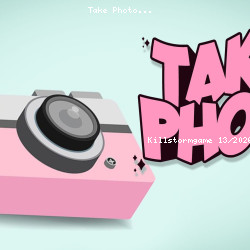
Take Photo is a captivating simulation game where you embark on a global adventure to capture stunning photos of various objects on the map. Navigate diverse environments and take pictures that perfectly frame each target to complete your objectives. With locations from all around the world, every level offers a new and exciting photo task. Sharpen your photography skills, explore unique landscapes, and build your collection of remarkable shots. Get ready to discover the world!
Technology
help Frequently Asked Questions
How do I take a photo in the game? expand_more
What are the objectives in Take Photo? expand_more
Are there any tips for improving my photography skills in the game? expand_more
Is Take Photo a difficult game to play? expand_more
How do I progress in Take Photo? expand_more
Related Games
Kogama 4 Players Parkour
Impossible Mega Ramp Car Stunt
Computer Office Escape
GEOsplash

Drift Boss

Hyper Evolution
Stabfish 2
Car Tuning Simulator
Crazy Plane Landing
Kogama: World Racing
Ball Blaster

Summer Vacation

Oil Digging
Bed Wars

Papa Louie: When Pizzas Attack