Jetpack Jump – Casual Browser Gaming
Kwalee Ltd • 36.7K Plays • 219.7K Views • star 4.4 (9K)
All
Device
Both
Orientation
9K ratings
Rate This Game
gamepad How to Play Jetpack Jump
Controls
Use the left mouse button to jump and use the jetpack.
info About Jetpack Jump
Optimized to run smoothly across multiple devices. Jetpack Jump runs reliably on Kill Storm Game, allowing comfortable gameplay sessions.
The Action unblocked games, Mobile, 3D, Jumping, Skill, Mouse gameplay of Jetpack Jump lets players relax while still sharpening their skills. Jetpack Jump continues to provide an enjoyable experience for fans of fast loading games. After Jetpack Jump, branch out to similar titles like Thief Puzzle and Street Fighter Simulator.
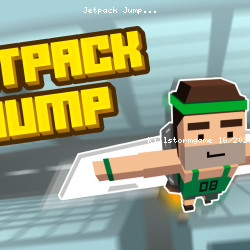
Jetpack Jump is a fun and simple casual jumping game that lets you perform Olympic-style jumps with a little help from a jet pack strapped onto your back. Your aim is to jump as many meters as possible, constantly beating your best score. Your athlete will be rewarded generously in coins, which will help you upgrade and fly to even greater heights.
How to Play Jetpack Jump
Jetpack Jump gameplay is fairly straightforward—this one-click title requires timing, precision, and tactical moves rather than dynamic complex moves. Tap the mouse just as the character approaches the starting line on the ground, then tap once again with precision when his feet just hit the ground. If you tap too soon, you are bound to hit the ground; tap too late, and your jump will be subpar.
The key is to master your timing. Perfecting this sequence will allow you to unleash the full power of his jump, launching him higher and farther with each successful attempt. Hone your reflexes and timing to maximize every leap!
Don't tap once. You will need to tap the ground each time your athlete approaches the ground. You will be prompted as to whether your jump was ok, perfect, great etc. This feedback will train you to repeat your tap, finding perfect timing.
If you complete multiple taps to perfection, your athlete will take off into the skies where you get to propel him even further if you use your jetpack fuel wisely. Earn money and use it to upgrade your jetpack and running speed to beat your high score. Explore new areas as you jump.
Keep an eye on the upper right corner to track your best score, which is displayed as the highest meter jump you've achieved so far. Aim to beat your personal record with every attempt!
How far can you jump?
More Games Like This
Casual game dynamics are often simple, engaging, and just plain fun. Browse our casual game titles to find more of the same with popular games like Slice Master, Bubble Shooter, or Geometry Dash—all one-click games so you can engage your more tactical side.
Release Date
- May 2019 (Android and iOS)
- February 2024 (WebGL)
Platforms
- Web browser (desktop and mobile)
- Android
- iOS
Technology
play_circle Jetpack Jump - Gameplay
help Frequently Asked Questions
How do I play Jetpack Jump? expand_more
What are the winning conditions in Jetpack Jump? expand_more
Are there any tips for improving in Jetpack Jump? expand_more
Is Jetpack Jump difficult to play? expand_more
What are the controls for Jetpack Jump? expand_more
Related Games

Hidden Object: Clues and Mysteries

Lulu's Fashion World
Squish
Stickman Parkour Master

Ellie's Recipe: Dubai Chocolate Bar
Kogama 4 Players Parkour

Impossible Mega Ramp Car Stunt
Computer Office Escape
GEOsplash

Drift Boss

Hyper Evolution

Idle Train Empire Tycoon

Words of Wonders
Car Tuning Simulator

Crazy Plane Landing